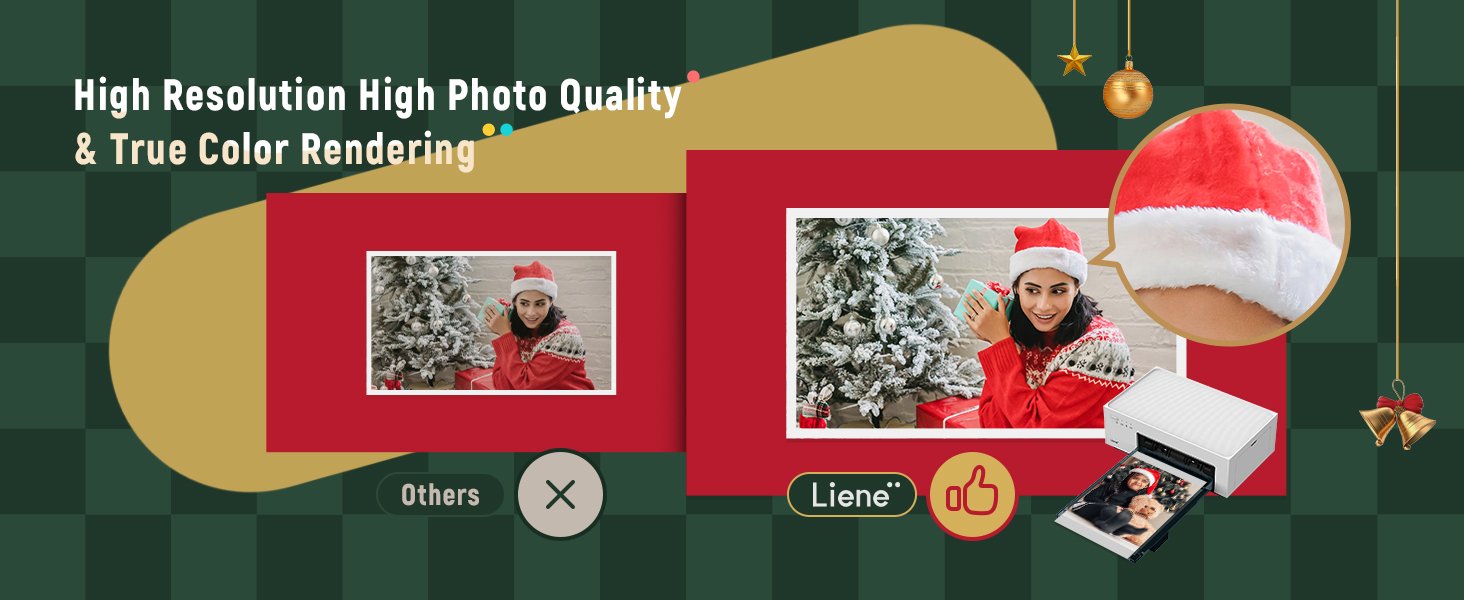
Professional Photo Quality – With dye sublimation printing by which 3 primary colors deeply penetrate the paper layer by layer. Liene photo printer allows for clear and vibrant images. The last layer covered on the photo makes it better to protect photos from water. scratches. and fading. Pictures by Liene offers outstanding image quality and a longer lifespan than the majority of other photo printer for iphone out there. Grab this Liene 4×6 photo printer to produce lifelong memories for you!
Rechargeable Built-in Battery Edition – Looking for a travel-friendly photo printer 4×6? This Liene portable photo printer is your best choice. In addition to connecting to the power cord for printing. this rechargeable wireless picture printer can do the job without being plugged in (40 prints per charge). Whether recording your baby’s smile. travel moments or celebration with friends. the Liene photo printer 4×6 will keep the most precious memories anytime. anywhere!
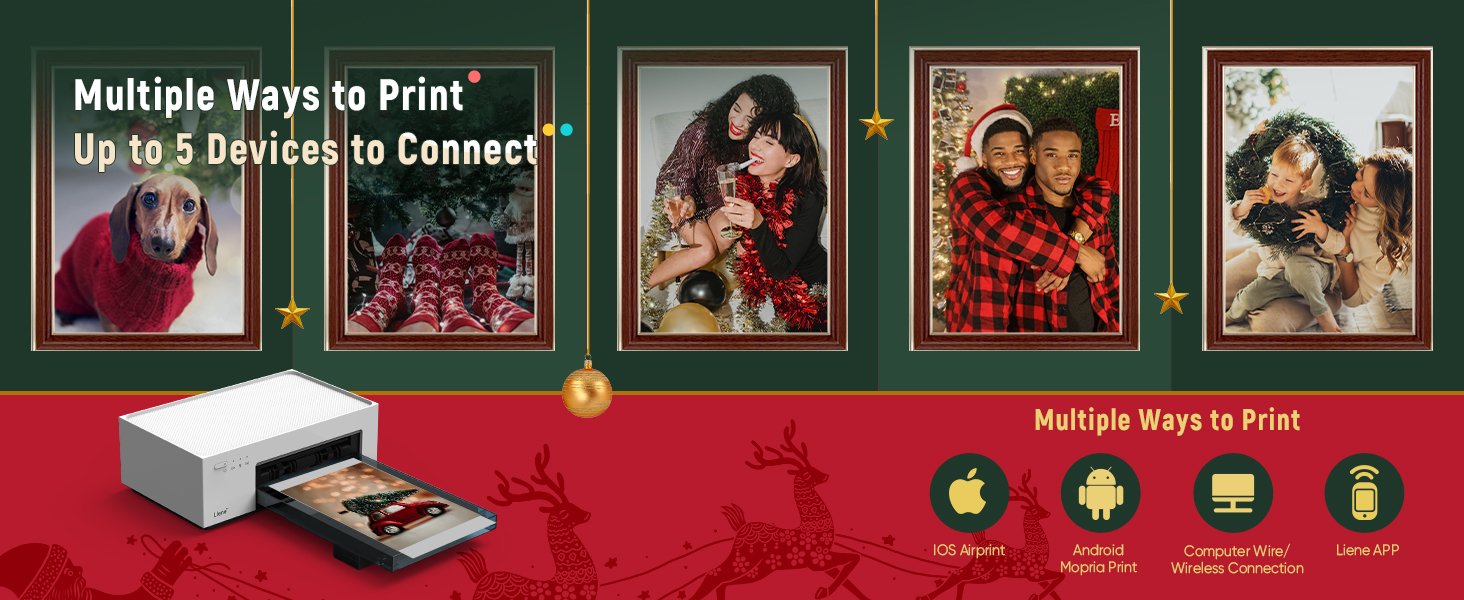
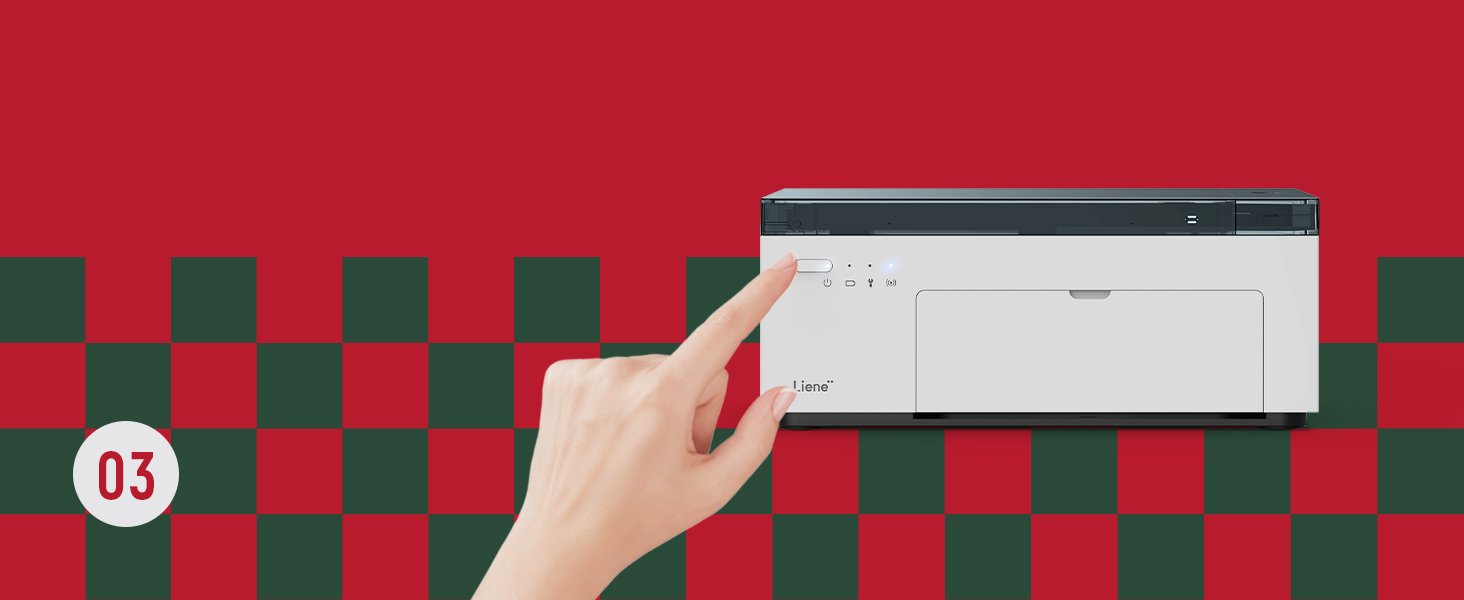
Easy & Stable Connection – The picture printer for iphone is easy to set up as long as you follow the instructions or the operation video on the page. To avoid being affected by the unstable home network. Liene iphone picture printer features a built-in WiFi hotspot. You can quickly connect to it over WiFi in 3 seconds. Liene picture printer is compatible with IOS. Android. laptops. and PC. It also allows up to 5 users to connect at the same time. Liene iphone printer is designed for everyone! Get Liene photo printers now for yourself and your loved ones.
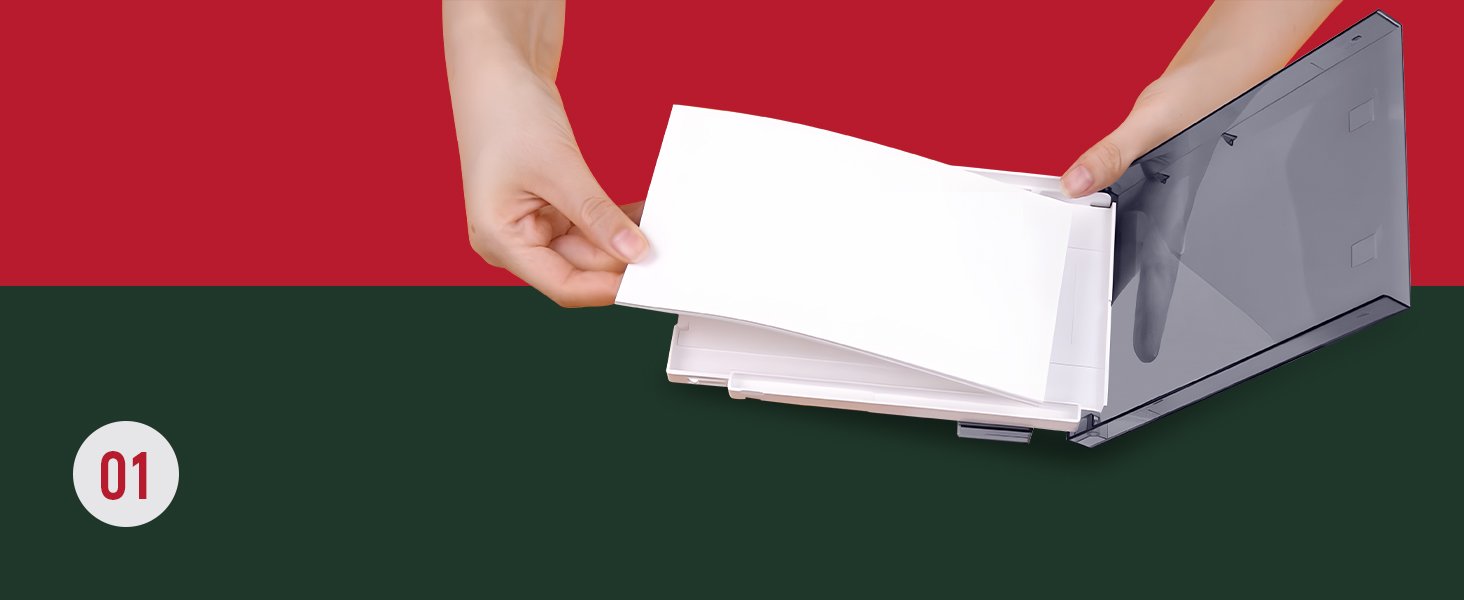
User-friendly Design – Thanks to its compact size. the photo printer can easily be placed on a table or carried around. Its sleek & delicate appearance makes the portable photo printer amazing gifts. Plus. the unique magnetic design on the top of it allows you to place the photo cassette on it after printing. which won’t take up much space. Liene has 20pcs complimentary photo papers. 1 ink cartridge. and 1 power adapter in the package.
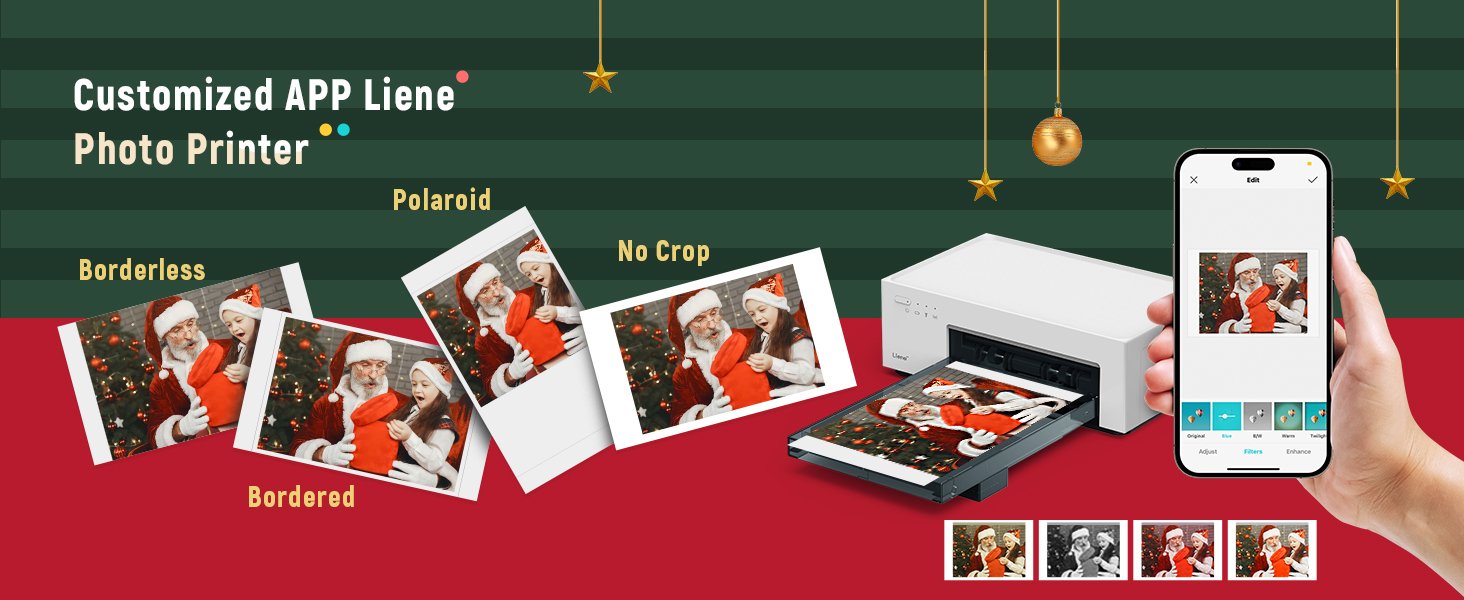
Endless Fun on Liene APP – Many features can be activated by downloading Line photo printer App. It allows basic editing as well adding filters and borders. Before connecting Liene APP. please confirm your network environment is fluent. There’re more creative ideas to brainstorm yourself! Besides. when printing via the smartphone photo printer App. you will be informed if the ink cartridge or the paper is run out. Join Liene Clan. and let inspiration enrich a new era!
20 reviews for Liene White M200 4×6” Photo Printer Battery Edition. Wireless Photo Printer for iPhone Android. Dye Sublimation Printing Full-Color Photo 20-Sheet. Portable Picture Printer Ideal for Travel Home Use
SH
Rated 5 out of 5
November 19, 2025
Easy to set up and great photo quality
I needed a home photo printer to add photos at the last minute for my Halloween gathering. I found this at a good price point and am very happy with t...More
I needed a home photo printer to add photos at the last minute for my Halloween gathering. I found this at a good price point and am very happy with the purchase. Arrived promptly and the quality of the photos is excellent - vibrant colors came through well. Easy to connect and function with my iphone. Compact but sturdy.
Helpful?
0
0
sharrie
Rated 5 out of 5
November 18, 2025
Great compact photo printer
I bought this photo printer for my daughter for he birthday. It is very easy to use! The Bluetooth was very simple to connect to her Samsung phone. Th...More
I bought this photo printer for my daughter for he birthday. It is very easy to use! The Bluetooth was very simple to connect to her Samsung phone. The pictures turn out great! You can print approximately 40 pictures per ink cartridge. I would highly recommend!
Helpful?
4
0
+2
Casi K.
Rated 5 out of 5
November 16, 2025
Love this thing!
I got this as a part of a "paper" anniversary gift and I'm (overall) very happy with it!Pros:- It prints pretty good quality photos- Easy to get up an...More
I got this as a part of a "paper" anniversary gift and I'm (overall) very happy with it!
Pros: - It prints pretty good quality photos - Easy to get up and running/set up - Seems to print around 10 (ish) photos before you need a new cart - Nice size - Easy to put a new cartridge in or more printer paper
Cons: - Does take a second before it starts printing - If scrolling for too long to find a photo, it will turn off and you have to reconnect the printer to your phone (though that could be seen as a pro as well if you forget to turn it off) - A bit annoying it connects through your wifi vs bluetooth because then you're disconnected to wifi on your phone which can slow down scrolling on google photos or when using apps to make collages - Cuts off things in a photo vs fitting the photo to the size of photo sheet
Overall very happy with this printer because it's doing what I want it to do. The pictures I've attached are different in sizing and stuff because I'll sometimes screenshot photos zoomed out on my iPhone so it prevents the printer from cutting things off (just incase you're wondering how I got some of my photos to be like they are). Side note, the scribbles on the kids faces are only because those aren't my kids and I don't want to post them without permission!
Helpful?
3
0
tkmars
Rated 5 out of 5
November 10, 2025
Absolutely incredible printer!
I could not believe the setup was so easy. Thought I was missing something. Unboxing took longer than the setup. I used my i-phone and was printing pi...More
I could not believe the setup was so easy. Thought I was missing something. Unboxing took longer than the setup. I used my i-phone and was printing pictures in no time. Incredible quality. Have not used the app and at this point, don't think I need it. Overall, this printer is much better than I expected. At this point I can't say how many pix I'll be able to print from one ink cartridge. I would definitely recommend this printer.
Helpful?
2
0
JayB
Rated 5 out of 5
November 4, 2025
Great pick for a dedicated 4x6 printer
Great color. Prints looks really good.I'm getting better color printing JPGs directly from the phone or using a basic app like Preview on the Mac, vs ...More
Great color. Prints looks really good. I'm getting better color printing JPGs directly from the phone or using a basic app like Preview on the Mac, vs directly out of Photoshop. B&W looks faithful as well.
Edit: I did get the USB connection working on the Mac, I'm unsure why it did not work out of the box.
Connection is a bit of a irritation with me. I can not get the USB connection to be recognized on the Mac, so I have to use the device's built it wifi hotspot (it does not connect to your wifi, it only has it's own), which means that if I wasn't also network hardwired, I would have no internet while printing from the Mac.
As far as I can tell so far, there no way to set the sleep time on the device. I'd like to use this on set to spit out quick proofs throughout the day. The printer goes to sleep though, and then it shuts off it's wifi, which means that I have to turn it back on and reconnect to the printers wifi. A small but irritating gripe, when what I would like to do is set this up in a corner and send prints to it through out the day.
The iOS app is OK, it does feel like a bit few too many step to print the way I'd like to, it would be nice if I could set up some printing defaults (uncropped, border, etc).
5 Stars now that printing via USB on Mac is sorted. It still sleeps, so I have to make sure to turn it back on if I take a break of more than a minute or two.
Update after a couple weeks and hundreds of prints. It's almost flawless. I've had exactly two printing errors in almost 400 prints. One was a small dot, that might have been debris on the paper or maybe a missing bit of dye on the ink ribbon. The second error was that it went through a print cycle when it was out of paper, wasting a prints worth of ink. Still, much much better than an ink jet printer.
I'm loving this little printer, it's really great to get all these images off my phone's camera roll, and the mountain of just walking around images I shoot with my pocket camera.
Helpful?
2
0
Stephen
Rated 4 out of 5
October 21, 2025
Not perfect, but good for the price
It's a pretty good little printer. I like how compact the size is and how you kind of just put it together whenever you need it, but can easily move i...More
It's a pretty good little printer. I like how compact the size is and how you kind of just put it together whenever you need it, but can easily move it out of the way if you don't need it.
I read a lot about how accurate the colors are on this, so I was excited to try it out since I have a lot of different cameras. I use DSLR's, point and shoots, and my phone camera. So I wanted to see if it could print them out accurately. In short: it can't, but it does a good enough job.
No matter the camera, one consistent issue I noticed is that it was printing my photos out noticeably darker than how I was seeing them on my phone and computer screens. In the app I had to turn the brightness up to +10 in order to get it to look more accurate to what I was seeing on my phone. I need to keep testing it out to see if some cameras will require more tweaking in the app to print out more accurately to what it's supposed to look like.
The colors themselves seem ok. Not totally accurate, but pretty close. It's not as vivid or crisp as the phone/computer screen. But again--it's pretty close.
The sharpness is ok, but not too great. It seems like there's some background processing happening or something because every photo was kinda soft, no matter the camera used to take it. Some photos had artifacting around some parts as if the printer was trying to sharpen them up or something. This was not on the original files.
All in all though it's a good printer for everyday photos. Not perfect, but it's pretty good still for the price and size. I'm happy with the pictures and put them on my fridge.
Helpful?
0
0
Jane
Rated 5 out of 5
October 19, 2025
Very happy!
This is a great portal photo printer!! It took some trial and error, and what I found was that you really do have to use the Liene app if you want th...More
This is a great portal photo printer!! It took some trial and error, and what I found was that you really do have to use the Liene app if you want the best quality photos. Not using the app will give you more grainy/pixelated pictures. I do want to say also that it seems that the printed photos seems a slightly darker/dull than the image you see on either your phone or computer, so if you're looking to print vibrant photos, edit the photo to brighten it a little bit and you should be good. You do have to connect the printer to WiFi, but you do not need internet connection. Your phone has to use the printer's WiFi in order to print wirelessly from your phone. It's really easy once you get the hang of it. I'm glad that I got the bundle! The cartridge that came with the printer itself was good for 20 prints, but the extra bundle accessories came with 2 packs of 40 photos sheets (20 photo sheets per pack) and 1 cartridge, and the other was 80 photo sheets with 2 cartridges, so I feel you get your money's worth. I bought this for it being compact and a review I had read that made sense! I have a huge Espon printer that can print on 12 X 12 paper/photos (I'm a scrapbooker, so this was pretty useful!). But I found that if I haven't used the printer in a while, the ink can get dried up and then I would have to go through the hassle of cleaning the nozzle head so that I can make sure that the photos I print weren't streaky, etc. And if they were, I would have to reprint and use up more ink, which is pretty pricey for just 1 color ink cartridge. With this Liene printer, b/c it doesn't use ink, this eliminates that issue!!! I haven't had to purchase refills yet, but looking on Amazon, you can get the paper and refills for a pretty decent price! Another thing I learned is that you HAVE to purchase the paper specifically for the Liene printer. I had similar photo paper from Kodak that was given to me that I though would fit, but it doesn't fit the paper cartridge at all. But again, the paper and the cartridges are pretty decently priced so purchasing the refills isn't a big deal. For it being compact and affordable, this is a great option!
Helpful?
13
0
Stephanie Sanders
Rated 5 out of 5
October 17, 2025
Perfect little printer!
This compact printer works so well! I wasn’t sure what to expect but the quality was f the pictures was perfect. Set up and use was seamless. Highly r...More
This compact printer works so well! I wasn’t sure what to expect but the quality was f the pictures was perfect. Set up and use was seamless. Highly recommend to anyone looking to print at home!
Helpful?
15
0
Paper Ribbon
Rated 5 out of 5
October 17, 2025
Amazing little printer!
Bought the printer + extra ink and 100 sheets. Amazing product:1) Incredibly quick and easy to set up and connect to Wi-Fi.2) Prints quickly in 4 phas...More
Bought the printer + extra ink and 100 sheets. Amazing product:
1) Incredibly quick and easy to set up and connect to Wi-Fi.
2) Prints quickly in 4 phases: yellow, magenta, cyan, and then lamination.
3) Easy tear away edges leave clean 4x6 print.
4) Great quality for the price. Image quality is great, clear, detailed, no blurring or streaks.
5) Instantly dried and ready to frame or enclose in photo album.
6) Compact. Paper tray closes and acts as storage for up to 20 sheets of paper. Paper tray magnetically attaches to printer when not in use.
7) Requires use of WI-FI, mobile device (iOS or Android), and download of an APP.
Overall a great buy! I’m getting one for my bestie for Christmas (she’ll be a first time mom soon and I’m sure she will love the ability to print pictures quickly and at home).
Helpful?
7
0
Dawn Shipman
Rated 4 out of 5
October 7, 2025
Item quantity is wrong
Love it but it didn’t come with 100 sheets only 80. Which is very disappointing
Helpful?
0
0
Daniel Nicolas Becerra Ruiz
Rated 4 out of 5
October 4, 2025
Good for what it is
For the price and quality it’s fine, but I wouldn’t recommend this for people that want professional photos
Helpful?
2
0
HK
Rated 5 out of 5
September 25, 2025
Good value for high quality
Amazing quality prints! I was looking for a new photo printer that wasn’t too expensive and I highly recommend this printer! It is small and portable ...More
Amazing quality prints! I was looking for a new photo printer that wasn’t too expensive and I highly recommend this printer! It is small and portable (I got a case as well to bring it with me to work). Printing is super easy, loading photo paper is a breeze, and changing the ink cartridge couldn’t be easier. I highly recommend. Pictures come out like professional photos. Good value for the high quality.
Helpful?
50
0
Jonie
Rated 5 out of 5
September 3, 2025
Great little printer
Easy set up make sure when getting the app to lien photos NOTlien photos HD which is for the sticker machine learned that the hard way lol once I got...More
Easy set up make sure when getting the app to lien photos NOTlien photos HD which is for the sticker machine learned that the hard way lol once I got the correct app it was very easy to connect. Pictures came out pretty good and pretty fast. Just note the print quality of the printer is just as good as the picture quality of your photo. Of course the app lets you adjust color and temperature and all that but if you have a very old picture, that’s not very clear. Don’t expect miracles. I also learned that the hard way. All in all very good purchase very happy with my order.
Helpful?
39
0
CYST
Rated 4 out of 5
August 14, 2025
Compact and Great Quality Prints – Minor WiFi Limitation
The Liene M100 photo printer is a great little device! It’s very compact and doesn’t take up much storage space at all, which is perfect for small des...More
The Liene M100 photo printer is a great little device! It’s very compact and doesn’t take up much storage space at all, which is perfect for small desks or shelves. The print quality is excellent, colors come out vibrant and sharp, definitely better than I expected.
I also appreciate that the photo paper and print film cartridges are reasonably priced, which makes it a more affordable option for regular photo printing.
The only downside is that it uses a direct WiFi-hotspot connection between your phone and the printer, so you can’t use your phone for WiFi internet at the same time. It’s not a dealbreaker, but something to be aware of if you like multitasking or printing from cloud services.
Overall, a great value printer for casual photo printing at home!
Helpful?
16
0
Amazon Customer
Rated 4 out of 5
August 11, 2025
Great print quality
I recently bought this because my HP sprocket printer stopped working & due to tariff pricing, I was not willing to pay to replace it. In a way I’...More
I recently bought this because my HP sprocket printer stopped working & due to tariff pricing, I was not willing to pay to replace it. In a way I’m glad because the quality of photos is drastically better, colors are way more vibrant. Makes me want to go back & reprint everything (I’ll refrain). With that said the thing my sprocket had going for it was it was Bluetooth connected so I didn’t have to turn off my home wifi from my phone to connect the printer instead & I could have a to print list rather than waiting for each photo to finish. All in all I’m happy with my purchase
Helpful?
2
0
Tammy Perdue
Rated 4 out of 5
August 1, 2025
Paper feed issue
When it works it works ok...just slow. You have to select and print one picture at a time. It would have saved alot of aggregation had the booklet eve...More
When it works it works ok...just slow. You have to select and print one picture at a time. It would have saved alot of aggregation had the booklet even mentioned that if the paper won't feed, it needs the ink cartridge changed. But nowhere in the booklet does it mention that. Grrrrr. You would think for the price , the troubleshooting would be more specific and not just assume that we already know how to fix issues.
8/15/25 This issue has been fixed and resolved. Thank you Liene for making things right and better.
Helpful?
2
0
Romidar
Rated 4 out of 5
June 15, 2025
Excellent print quality, but serious software and documentation issues
[ Update July 18, 2025. The company got in touch regarding some of the observations in the review and has said they're working on software and documen...More
[ Update July 18, 2025. The company got in touch regarding some of the observations in the review and has said they're working on software and documentation updates. I appreciate their response and for that reason I'm adding 1 star to the rating. If the software updates are good I'll definitely increase to 5 stars. Considering the excellent print quality, it's certainly worth 5 stars.]
The print quality is fantastic. I've been taking and printing photographs for a long time and have never seen such excellent quality right out of the box, so to speak. The Liene completely smokes my wife's older Epson 4x6 inkjet printer (which we stopped using due to connection problems and inkjet clogging).
«Liene Image quality»
Given a properly exposed and correctly color-balanced original image, you'll get outstanding print quality—see the photos I've attached to the review. The reproduction of the bright red in the one picture is flawless. (Both were taken by a mobile phone.) Neither photo has gained or lost contrast. The neutral areas are very clean. Highlight detail is preserved perfectly. The prints are 99% faithful to the originals. Excellent results.
«Connection»
We connected a Google Pixel 7A and an iPhone 16 to the printer without difficulty right after installing the Liene apps. The connections were instant—faster than Bluetooth.
Now the bad news—why I gave the printer 3 stars instead of the 5 stars it deserves (!).
Part of the problem is the software itself. There are also major documentation issues. Liene has got to improve its documentation!
«Internet access disabled»
Apparently by design, the Liene private wifi network is not meant to connect to the internet. On both Android and iPhone, when we connect the phones to the printer their internet access is disabled even if the phones are still connected to our home wifi. I'm guessing this is how it's supposed to work when a phone connects to a private wifi network lacking internet access.
When we were running the Liene app and wanted to connect from within it to Liene's own site, we first had to turn off the phone-to-printer connection.
It might all be by design but it was downright confusing until we realized the private network was the problem. Liene should document this _explicitly_.
«Compatibility issue: Lenovo tablet»
The Google Play store informed me that the Liene app can't be installed on my Lenovo tablet, which is running the latest Android version. The software just isn't compatible with that model. Disappointing. I don't know if this applies to other Android tablets or iPads. It's another thing Liene should document explicitly. (But, why not make the app compatible with tablets in the first place?)
«Unpleasant bug in the iPhone app»
When I print from the Android phone, when I'm done I can return immediately to my photo gallery (within the Liene app) and find something else to print. No such luck with the iPhone.
After my wife made her first print on the iPhone, the Liene app has remained stuck on that first image. We haven't been able to "clear" the photo and display her photo gallery again within the app. It seems to me we'll have to uninstall and reinstall the app on her phone. But then we might have the same problem again. Super annoying.
She did find a workaround: She opens the iPhone's photo gallery, picks one or more image(s), and prints directly to the Liene. But then she can't select certain features provided by the Liene app. She's ok with it for now, but it's far from ideal. That bug needs fixing.
The workaround doesn't work at all on my Android phone. When I try it, I get only an error message saying that the phone can't find the printer, even though they are already connected. It's another thing Liene needs to fix.
«Annoying design flaw in the Android app»
I was kind of astonished that I can print only one image at a time via the Liene app. It does not support selecting more than one image at a time. Come on, Liene—why limit the software that way? It isn't exactly a benefit to the user.
Conclusion:
So we figured out how to deal with these issues, and as I say the print quality is outstanding. We'll live with limitations for now considering the high quality prints. But Liene REALLY needs to work on its software issues and documentation.
Helpful?
102
0
Bryan L Fry
Rated 4 out of 5
June 7, 2025
Pics look good, but app is terrible and customer support is non-existent
Got it set up, installed app, jumped through all the hoops and... Most of the pics I need to print will not even show up in the app.I'm using my andro...More
Got it set up, installed app, jumped through all the hoops and... Most of the pics I need to print will not even show up in the app. I'm using my android phone. The photos are on the phone, but only maybe a third of my photos actually show up on the Liene app that you have to use. There is no option to search or reload or anything like that. I've reached out to customer support but after one generic automated dismissive response, I have heard nothing back.
I printed a few pics that were available. (The pics that do show up as available... seem random) Anyway, they look great. ...but what's the point if almost none of the photos I actually need printed show up in the app?
Seems like a pretty serious problem, yet it is not addressed at all in their frequently asked questions/ common problems. And again, no response at all yet from customer service.
Update, edit: I upped my star rating, because although I'm still having the same problem as above, I did figure out a sort of work around. I have to pick the missing photos on my phone that I want to show up, and edit them each individually. Then they become available. Also Liene did eventually reach out to me through email.
Helpful?
14
0
Steph
Rated 4 out of 5
June 1, 2025
Worth Every Penny BUT had Connectivity Issues
Ordered yesterday and received the same day. Started using right away, and it was a very easy set up. Love that the paper holder tray doubles as a pri...More
Ordered yesterday and received the same day. Started using right away, and it was a very easy set up. Love that the paper holder tray doubles as a printing tray and when you’re done you just pop it out and it’s a magnet to the top of the printer.
Picture Quality: I couldn’t ask for anything more. The quality was perfect for what I needed it for which was just family photos or pictures with my spouse. Looks exactly like the pictures taken from my phone, I didn’t show a blur anywhere and love the slightly glossed finish.
Connectivity: I so badly want to give it 5 stars, as so far it’s been the best purchase I’ve ever made on Amazon so far, however, the connection from my phone on the app to the printer is lost if the printer is not in use for more than maybe a minute. Which makes it hard if you’re searching for photos and have to reconnect. The process to reconnect is very simple, you just hit the refresh button or a connect button I believe will display and it usually reconnects within maybe five seconds but it’s just a little annoying to have to be doing that often.
Other than the connectivity issue, I would recommend 1000 times. Best purchase ever!
Helpful?
14
0
Justin
Rated 4 out of 5
April 22, 2025
Great little printer, glitchy wifi, no Linux support.
Handy dandy little printer with good picture quality, and a small compact form factor.The issues I've had with it are 1st: connection with wifi (using...More
Handy dandy little printer with good picture quality, and a small compact form factor.
The issues I've had with it are 1st: connection with wifi (using my phone for this part), so when you are connected to the printer, you are not connected to your home wifi (troublesome because most of my images are stored in the cloud, and I need internet to access my images). It is also relatively confusing on how to use the wifi connection. When you connect with your phone (Pixel 9 Pro in my case), after a minute or so, a warning window will come up telling you that there is no internet connection. Sometimes it will automatically shut the printer's wifi connection off and go back to your home wifi (the light on the printer will change colors to let you know, and the app will show "failed").
2nd, I am a have no windows or fruits in my house (I do not use Microsoft or Mac/Apple). This printer does not appear to work with *nix of any sort. I did not research this before I purchased otherwise, I would have sought another brand with support for open-source software.
Connecting with the USB (USB C) shows up on my computer, I allowed the *nix drivers to install, searched the Liene web site for drivers, and couldn't find any. I didn't see any for mac either, so it must "just work" with mac/apple.
I will still use the crud out of this little thing, but I'll be doing it through my phone. Makes it a bit of a hassle since I edit on my computer (with DarkTable), load them to the cloud (my personal serer running Nextcloud), download them to my phone, open the Line app, connect to the printer's wifi, and print the image.
Wonderful little printer. If you are going to print a lot, I would recommend a full-sized Epson EcoTank and a few photo paper packs.
Pros:
- It prints pretty good quality photos
- Easy to get up and running/set up
- Seems to print around 10 (ish) photos before you need a new cart
- Nice size
- Easy to put a new cartridge in or more printer paper
Cons:
- Does take a second before it starts printing
- If scrolling for too long to find a photo, it will turn off and you have to reconnect the printer to your phone (though that could be seen as a pro as well if you forget to turn it off)
- A bit annoying it connects through your wifi vs bluetooth because then you're disconnected to wifi on your phone which can slow down scrolling on google photos or when using apps to make collages
- Cuts off things in a photo vs fitting the photo to the size of photo sheet
Overall very happy with this printer because it's doing what I want it to do. The pictures I've attached are different in sizing and stuff because I'll sometimes screenshot photos zoomed out on my iPhone so it prevents the printer from cutting things off (just incase you're wondering how I got some of my photos to be like they are). Side note, the scribbles on the kids faces are only because those aren't my kids and I don't want to post them without permission!
I'm getting better color printing JPGs directly from the phone or using a basic app like Preview on the Mac, vs directly out of Photoshop.
B&W looks faithful as well.
Edit: I did get the USB connection working on the Mac, I'm unsure why it did not work out of the box.
Connection is a bit of a irritation with me. I can not get the USB connection to be recognized on the Mac, so I have to use the device's built it wifi hotspot (it does not connect to your wifi, it only has it's own), which means that if I wasn't also network hardwired, I would have no internet while printing from the Mac.
As far as I can tell so far, there no way to set the sleep time on the device. I'd like to use this on set to spit out quick proofs throughout the day. The printer goes to sleep though, and then it shuts off it's wifi, which means that I have to turn it back on and reconnect to the printers wifi. A small but irritating gripe, when what I would like to do is set this up in a corner and send prints to it through out the day.
The iOS app is OK, it does feel like a bit few too many step to print the way I'd like to, it would be nice if I could set up some printing defaults (uncropped, border, etc).
5 Stars now that printing via USB on Mac is sorted. It still sleeps, so I have to make sure to turn it back on if I take a break of more than a minute or two.
Update after a couple weeks and hundreds of prints. It's almost flawless. I've had exactly two printing errors in almost 400 prints. One was a small dot, that might have been debris on the paper or maybe a missing bit of dye on the ink ribbon. The second error was that it went through a print cycle when it was out of paper, wasting a prints worth of ink. Still, much much better than an ink jet printer.
I'm loving this little printer, it's really great to get all these images off my phone's camera roll, and the mountain of just walking around images I shoot with my pocket camera.
I read a lot about how accurate the colors are on this, so I was excited to try it out since I have a lot of different cameras. I use DSLR's, point and shoots, and my phone camera. So I wanted to see if it could print them out accurately. In short: it can't, but it does a good enough job.
No matter the camera, one consistent issue I noticed is that it was printing my photos out noticeably darker than how I was seeing them on my phone and computer screens. In the app I had to turn the brightness up to +10 in order to get it to look more accurate to what I was seeing on my phone. I need to keep testing it out to see if some cameras will require more tweaking in the app to print out more accurately to what it's supposed to look like.
The colors themselves seem ok. Not totally accurate, but pretty close. It's not as vivid or crisp as the phone/computer screen. But again--it's pretty close.
The sharpness is ok, but not too great. It seems like there's some background processing happening or something because every photo was kinda soft, no matter the camera used to take it. Some photos had artifacting around some parts as if the printer was trying to sharpen them up or something. This was not on the original files.
All in all though it's a good printer for everyday photos. Not perfect, but it's pretty good still for the price and size. I'm happy with the pictures and put them on my fridge.
1) Incredibly quick and easy to set up and connect to Wi-Fi.
2) Prints quickly in 4 phases: yellow, magenta, cyan, and then lamination.
3) Easy tear away edges leave clean 4x6 print.
4) Great quality for the price. Image quality is great, clear, detailed, no blurring or streaks.
5) Instantly dried and ready to frame or enclose in photo album.
6) Compact. Paper tray closes and acts as storage for up to 20 sheets of paper. Paper tray magnetically attaches to printer when not in use.
7) Requires use of WI-FI, mobile device (iOS or Android), and download of an APP.
Overall a great buy! I’m getting one for my bestie for Christmas (she’ll be a first time mom soon and I’m sure she will love the ability to print pictures quickly and at home).
I also appreciate that the photo paper and print film cartridges are reasonably priced, which makes it a more affordable option for regular photo printing.
The only downside is that it uses a direct WiFi-hotspot connection between your phone and the printer, so you can’t use your phone for WiFi internet at the same time. It’s not a dealbreaker, but something to be aware of if you like multitasking or printing from cloud services.
Overall, a great value printer for casual photo printing at home!
8/15/25 This issue has been fixed and resolved. Thank you Liene for making things right and better.
The print quality is fantastic. I've been taking and printing photographs for a long time and have never seen such excellent quality right out of the box, so to speak. The Liene completely smokes my wife's older Epson 4x6 inkjet printer (which we stopped using due to connection problems and inkjet clogging).
«Liene Image quality»
Given a properly exposed and correctly color-balanced original image, you'll get outstanding print quality—see the photos I've attached to the review. The reproduction of the bright red in the one picture is flawless. (Both were taken by a mobile phone.) Neither photo has gained or lost contrast. The neutral areas are very clean. Highlight detail is preserved perfectly. The prints are 99% faithful to the originals. Excellent results.
«Connection»
We connected a Google Pixel 7A and an iPhone 16 to the printer without difficulty right after installing the Liene apps. The connections were instant—faster than Bluetooth.
Now the bad news—why I gave the printer 3 stars instead of the 5 stars it deserves (!).
Part of the problem is the software itself. There are also major documentation issues. Liene has got to improve its documentation!
«Internet access disabled»
Apparently by design, the Liene private wifi network is not meant to connect to the internet. On both Android and iPhone, when we connect the phones to the printer their internet access is disabled even if the phones are still connected to our home wifi. I'm guessing this is how it's supposed to work when a phone connects to a private wifi network lacking internet access.
When we were running the Liene app and wanted to connect from within it to Liene's own site, we first had to turn off the phone-to-printer connection.
It might all be by design but it was downright confusing until we realized the private network was the problem. Liene should document this _explicitly_.
«Compatibility issue: Lenovo tablet»
The Google Play store informed me that the Liene app can't be installed on my Lenovo tablet, which is running the latest Android version. The software just isn't compatible with that model. Disappointing. I don't know if this applies to other Android tablets or iPads. It's another thing Liene should document explicitly. (But, why not make the app compatible with tablets in the first place?)
«Unpleasant bug in the iPhone app»
When I print from the Android phone, when I'm done I can return immediately to my photo gallery (within the Liene app) and find something else to print. No such luck with the iPhone.
After my wife made her first print on the iPhone, the Liene app has remained stuck on that first image. We haven't been able to "clear" the photo and display her photo gallery again within the app. It seems to me we'll have to uninstall and reinstall the app on her phone. But then we might have the same problem again. Super annoying.
She did find a workaround: She opens the iPhone's photo gallery, picks one or more image(s), and prints directly to the Liene. But then she can't select certain features provided by the Liene app. She's ok with it for now, but it's far from ideal. That bug needs fixing.
The workaround doesn't work at all on my Android phone. When I try it, I get only an error message saying that the phone can't find the printer, even though they are already connected. It's another thing Liene needs to fix.
«Annoying design flaw in the Android app»
I was kind of astonished that I can print only one image at a time via the Liene app. It does not support selecting more than one image at a time. Come on, Liene—why limit the software that way? It isn't exactly a benefit to the user.
Conclusion:
So we figured out how to deal with these issues, and as I say the print quality is outstanding. We'll live with limitations for now considering the high quality prints. But Liene REALLY needs to work on its software issues and documentation.
I'm using my android phone. The photos are on the phone, but only maybe a third of my photos actually show up on the Liene app that you have to use. There is no option to search or reload or anything like that.
I've reached out to customer support but after one generic automated dismissive response, I have heard nothing back.
I printed a few pics that were available. (The pics that do show up as available... seem random) Anyway, they look great. ...but what's the point if almost none of the photos I actually need printed show up in the app?
Seems like a pretty serious problem, yet it is not addressed at all in their frequently asked questions/ common problems.
And again, no response at all yet from customer service.
Update, edit: I upped my star rating, because although I'm still having the same problem as above, I did figure out a sort of work around. I have to pick the missing photos on my phone that I want to show up, and edit them each individually. Then they become available.
Also Liene did eventually reach out to me through email.
Picture Quality: I couldn’t ask for anything more. The quality was perfect for what I needed it for which was just family photos or pictures with my spouse. Looks exactly like the pictures taken from my phone, I didn’t show a blur anywhere and love the slightly glossed finish.
Connectivity: I so badly want to give it 5 stars, as so far it’s been the best purchase I’ve ever made on Amazon so far, however, the connection from my phone on the app to the printer is lost if the printer is not in use for more than maybe a minute. Which makes it hard if you’re searching for photos and have to reconnect. The process to reconnect is very simple, you just hit the refresh button or a connect button I believe will display and it usually reconnects within maybe five seconds but it’s just a little annoying to have to be doing that often.
Other than the connectivity issue, I would recommend 1000 times. Best purchase ever!
The issues I've had with it are 1st: connection with wifi (using my phone for this part), so when you are connected to the printer, you are not connected to your home wifi (troublesome because most of my images are stored in the cloud, and I need internet to access my images). It is also relatively confusing on how to use the wifi connection. When you connect with your phone (Pixel 9 Pro in my case), after a minute or so, a warning window will come up telling you that there is no internet connection. Sometimes it will automatically shut the printer's wifi connection off and go back to your home wifi (the light on the printer will change colors to let you know, and the app will show "failed").
2nd, I am a have no windows or fruits in my house (I do not use Microsoft or Mac/Apple). This printer does not appear to work with *nix of any sort. I did not research this before I purchased otherwise, I would have sought another brand with support for open-source software.
Connecting with the USB (USB C) shows up on my computer, I allowed the *nix drivers to install, searched the Liene web site for drivers, and couldn't find any. I didn't see any for mac either, so it must "just work" with mac/apple.
I will still use the crud out of this little thing, but I'll be doing it through my phone. Makes it a bit of a hassle since I edit on my computer (with DarkTable), load them to the cloud (my personal serer running Nextcloud), download them to my phone, open the Line app, connect to the printer's wifi, and print the image.
Wonderful little printer. If you are going to print a lot, I would recommend a full-sized Epson EcoTank and a few photo paper packs.